
Need to share your fake Snapchat conversation? Create a QR code in seconds with the Free QR Code Generator and send it anywhere.
Fake Snapchat Chat Generator
My Saved Chats
Clear All
New Chat

John Doe
Save This Chat
Having payment issues? Try a different browser or clear your cache. Contact us if it continues.
1 Year Plan (58.33% off)
$100
$ 240.00
$8.33 /month ($100 annual)
(Only $0.27/day)
No auto-renewal
- ✅ Watermark-free image
- ✅ Advertising-free site
- ⬇️ Unlimited download
- ♾️ 25+ tools access
- 🔔 Early access to updates
- ⚡ Instant activation
- 🔐 Secure payment
- 🙈 No personal details required
6 Months Plan (50% off)
$60
$ 120.00
$10 /month ($60 Half Year)
(Only $0.33/day)
No auto-renewal
- ✅ Watermark-free image
- ✅ Advertising-free site
- ⬇️ Unlimited download
- ♾️ 25+ tools access
- 🔔 Early access to updates
- ⚡ Instant activation
- 🔐 Secure payment
- 🙈 No personal details required
3 Months Plan (35% off)
$39
$ 60.00
$13 /month ($39 quarterly)
(Only $0.43/day)
No auto-renewal
- ✅ Watermark-free image
- ✅ Advertising-free site
- ⬇️ Unlimited download
- ♾️ 25+ tools access
- 🔔 Early access to updates
- ⚡ Instant activation
- 🔐 Secure payment
- 🙈 No personal details required
30 Days Plan
$20 /month
(Only $0.67/day)
No auto-renewal
- ✅ Watermark-free image
- ✅ Advertising-free site
- ⬇️ Unlimited download
- ♾️ 25+ tools access
- 🔔 Early access to updates
- ⚡ Instant activation
- 🔐 Secure payment
- 🙈 No personal details required
15 Days Plan
$15 /15 days
(Only $1/day)
No auto-renewal
- ✅ Watermark-free image
- ✅ Advertising-free site
- ⬇️ Unlimited download
- ♾️ 25+ tools access
- 🔔 Early access to updates
- ⚡ Instant activation
- 🔐 Secure payment
- 🙈 No personal details required
Don’t Have Crypto? Get It Below 👇
We accept
& More
...
Choose Payment Method
Annual — $120 / yearNo auto-renewal
Crypto (USDT, BTC ...)
Pay with BTC, USDT, Tron & more...Debit or Credit Card
Visa, Mastercard & moreDownload not working? Click here to download again.
Related Snapchat Tools
Turn Your Chat Idea Into a Snapchat Screenshot
You have an idea for a Snapchat conversation.
Maybe you know exactly what the messages should say. Maybe you have a scene in mind for a video or story. Maybe you need to show a Snapchat interaction that isn't available in a real chat.
Instead of trying to find that conversation somewhere else, create it yourself.
The Fake Snapchat Chat Generator gives you a simple way to build a Snapchat-style chat, choose what appears in it, and turn your finished idea into an image.
Create Your Snapchat Fake Chat!
Picture the Chat You Want
Start by deciding what you want the final screenshot to show.
It could be a short conversation between two people.
It could be a longer exchange with several replies.
It could include a photo, a video, or a Snapchat interaction.
It could happen on one day or continue into another.
There is no conversation to copy. You are creating the one you need.
Once you know what the screenshot should show, you can start putting it together.
How Can You Create a Fake Snapchat Chat With the Tool?
01
Choose the Message Sender
Switch between Receiver and Sender (You) to decide which side of the conversation the message belongs to.
02
Add Your Message
Enter the text you want to appear in the conversation
03
Set the Message Time
Choose the time displayed alongside the message to make the conversation sequence consistent.
04
Add Media or Other Elements
Use the Media section to add image or video thumbnails to your mockup.
05
Add Date
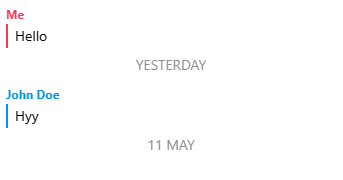
Create date separators such as Today, Yesterday, Monday, or a custom date.
06
Add Snapchat-style Notifications
Add interface events such as a screenshot, replay, saved snap, recording, or streak notification when they fit your mockup.
07
Customize the Profile
Set the displayed profile name, profile image, and story status.
08
Preview Your Chat
The live preview updates as you build the conversation, making it easier to check the result before saving it.
Customize Every Part of Your Chat Mockup
A useful chat generator should give you control over more than just the message text. That's why the generator includes separate controls for the chat, phone display, profile, dates, media, and notifications.
Message and Sender Controls
The “Add Chat” section is where you start creating the conversation.
You can switch between:
This lets you build both sides of a conversation instead of generating a single static message.
Add multiple messages to create a complete fake Snapchat convo, rather than relying on a single edited message.
This is particularly useful when you need a longer chat sequence for a presentation, design concept, storyboard, or social media mockup
Add Images and Video Thumbnails
The Media section gives your conversation more visual detail.
Instead of creating a text-only chat, you can add image or video thumbnails to represent media shared inside the conversation.
This can make your mockup more useful when you're demonstrating how a conversation could look with multimedia content.
Add Dates Between Messages
Real conversations aren't always a continuous list of messages.
The Date section lets you separate parts of the messages with dates such as:
For example, you can create a conversation that starts with one message yesterday and continues with another message today.
This makes it easier to build a believable chat mockup with multiple time periods.
Add Snapchat-style Chat Notifications
The notification controls let you add different events to your mockup.
The available options include:
These elements can be useful when you're creating a visual example of how a particular interaction or notification could appear.
Use them selectively so the mockup communicates the scenario clearly rather than becoming visually cluttered.
Customize the Phone Display
The “Display Settings” section controls the appearance of the phone shown in the preview.
You can choose between different device layouts and adjust details such as:
-
Android or iPhone Layout : Select the device style that best matches the visual you're creating.
-
Dark Mode : Switch between the available display appearance options.
-
Network : Customize the displayed network indicator, including options such as 5G, 4G, 3G, 2G, Wi-Fi, Network, and Flight Mode.
-
Dual SIM : Show a dual-SIM style status bar when needed.
-
Clock : Set the time displayed in the phone's status bar.
-
Battery : Customize the displayed battery percentage and charging state.
-
Header Icons :
Control interface indicators such as:
You can also hide the header or footer when you want a cleaner mockup.
Customize the User Profile
The “User Profile” section lets you personalize the person’s details.
You can change:
For example, you can replace the default profile name with the character or contact name required for your design.
This makes the generated chat screenshot more suitable for presentations, prototypes, storyboards, demonstrations, and other creative work.
See Changes Instantly With Live Preview
One of the most useful parts of the generator is the Live Preview.
Instead of creating your entire chat first and discovering later that something looks wrong, you can see the phone mockup while you're building it.
As you change the:
The preview provides a visual reference for the final chat.
This makes creating a fake Snapchat screenshot much easier than manually recreating a conversation in an image editor.
Save Your Chat Mockup
When your conversation is ready, use Save This Chat to save the completed chat setup.
This is useful if you want to keep the created convo and return to it later instead of rebuilding the entire mockup from scratch.
Why Use a Fake Snapchat Chat Generator?
There are several situations where creating a chat mockup can be more convenient than using a real messaging application.
Creative Projects
Build fictional chats for stories, videos, concepts, and other creative projects.
UI and Design Demonstrations
Show how a messaging interface could appear without requiring a live account.
Presentations
Create a visual example for presentations, demonstrations, or prototypes.
Social Media Concepts
Prepare fictional conversation layouts for content planning and visual concepts.
Testing and Demonstrations
Create controlled examples when you need specific messages, dates, users, or notification states.
Privacy
Create fictional conversations without using real private details or exposing someone's actual messages.
Fake Snapchat Chat vs. Editing a Real Screenshot
Manually editing a screenshot can take time, especially when you need to change multiple messages, timestamps, profile details, dates, and interface elements.
A chat maker gives you those controls directly.
| Manual Screenshot Editing | Snapchat Chat Generator |
|---|---|
| Edit individual image elements | Build messages directly |
| Manually position text | Messages are positioned automatically |
| Recreate interface elements | Phone UI is generated for you |
| Edit timestamps manually | Set message and phone times |
| Rebuild multiple conversations | Add messages one by one |
| Harder to change later | Modify settings and preview instantly |
The goal isn't to make you spend time recreating a messaging interface in an image editor. It's to give you the controls needed to build a chat mockup directly.
FAQs
What is a Fake Snapchat Chat Generator?
A Snapchat chat generator is a tool for creating fictional conversation mockups. Instead of manually editing an existing screenshot, you can create messages, choose senders, add dates and media, customize the profile, and preview it.
Is the Fake Snapchat Chat Generator Free?
Yes, you can use the generator for free.
Does the Generator Send Real Snapchat Messages?
No. It creates a visual mockup and does not send messages through Snapchat.
Do I Need to Install an App?
No. The tool works in the browser, so there is no need to install an app.
Can I Create a Fake Snapchat Screenshot?
Yes. You can build a fictional Snapchat screenshot and use the resulting mockup as a visual representation.
Do I Need a Snapchat Account?
No. You can create a chat mockup without logging into Snapchat or using a real Snapchat account.
Can I Change the Name and Profile Picture?
Yes. You can easily customize the displayed name, profile image, and story status.
Can I Create Both Sides of a Conversation?
Yes. The generator provides separate Receiver and Sender (You) controls, allowing you to construct both sides of a fictional scenario.
Can I Add Dates to a Fake Snapchat Conversation?
Yes. Use the Date section to add separators such as Today, Yesterday, Monday, or a Custom Date.
Can I Add Screenshots, Saved Snaps, or Streak Notifications?
Absolutely. You can add screenshots, saved snaps, or streak notifications in your screenshots.
×
🎉 What’s New?
🖼️ Download Image in Different Formats
Download your finished chat as an image using the format that works best for you.
📌 Choose from the available image formats when downloading.
Chat Preview
Note : Email, Password, Address and Name generated from our website is 100% valid for use but emails generated here does not work like an actual email address. Even Address streets are randomly generated it doesn't match with real addresses. All details are randomly generated. The email address, password, name and address details generated by our website are for data testing purposes only. This will help you to not expose your email address to avoid spam and to protect your personal informations.